Skip to content
Bidò
EN

Always know which bin to put out, and when.

Your municipality's waste collection calendar on your phone. Choose when you want to be reminded, keep the next collection in the widget on your Home screen, and ask Alexa what to put out and where each item of waste goes.

    Browse the municipalities with a calendar

    What it does

    Today, tomorrow, the week

    Which waste is collected and the time by which to put it out. It takes account of public holidays, schedule changes and make-up collections.

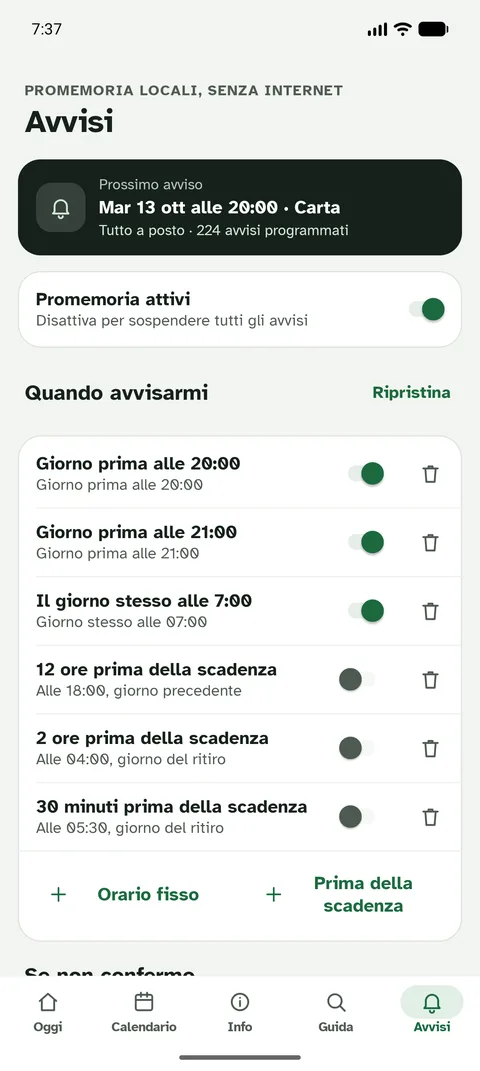
    Reminders when you need them

    A notification on the days and at the times you choose, for the waste you care about.

    Widget

    The next collection always visible on your phone's Home screen.

    Alexa

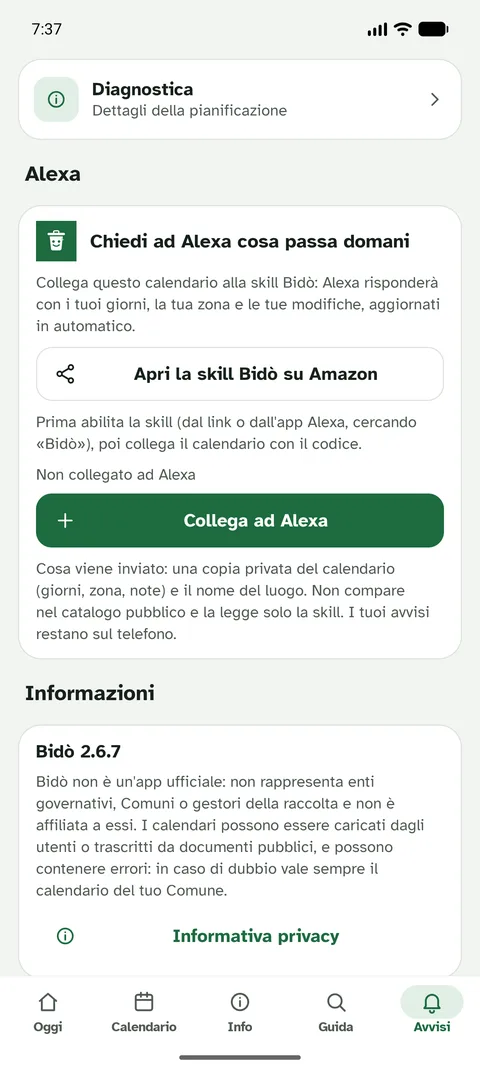
    "Alexa, ask raccolta rifiuti what is being collected tomorrow." It links to the app with a six-digit code. Enable the skill on Amazon.

    More places

    Home, seaside home, parents' home: each with its own collection area.

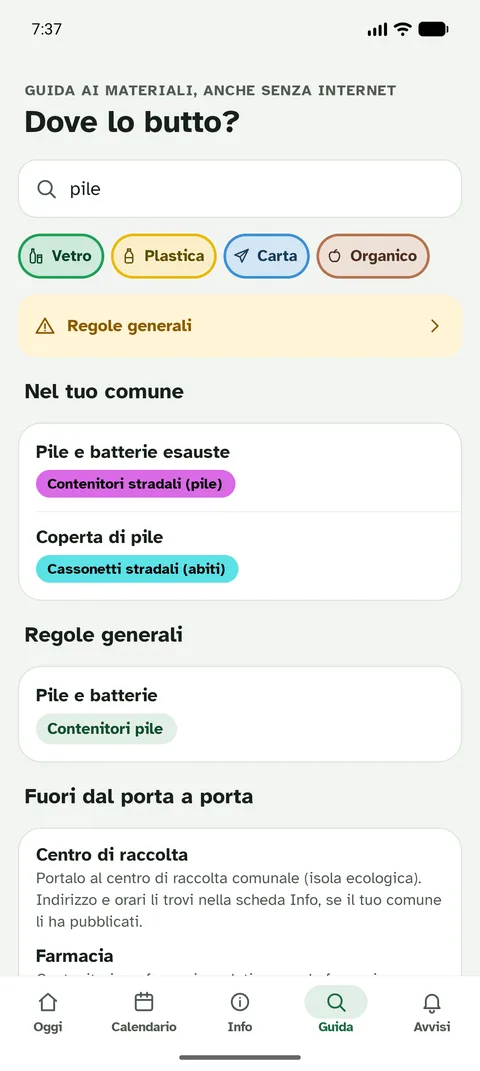
    Where do I throw it?

    Search for an item and find out which bin it goes in. In the meantime, the general rules on the website.

    Discover all the app's features

    The app in pictures
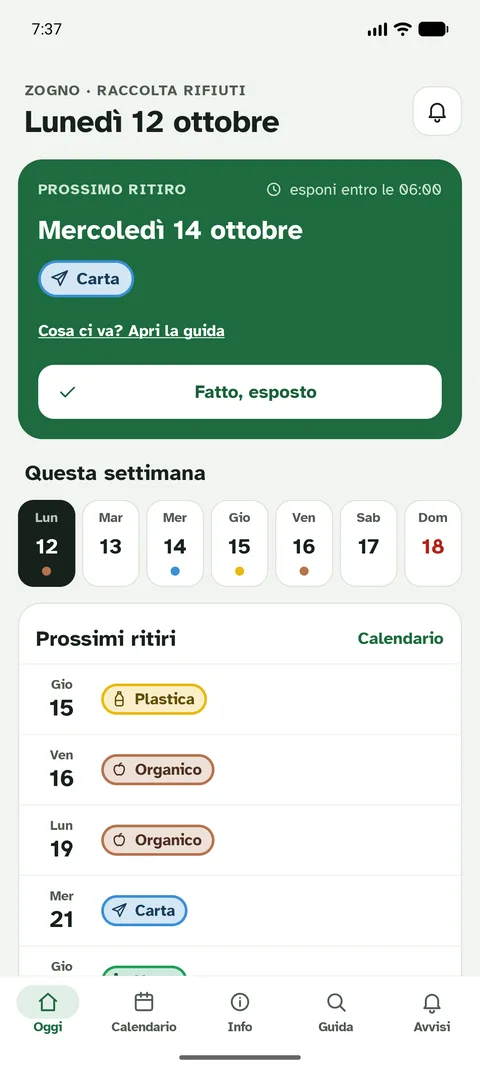
    Bidò app screenshot: Today: the next collection, with the time by which to put it out
    Today: the next collection, with the time by which to put it out
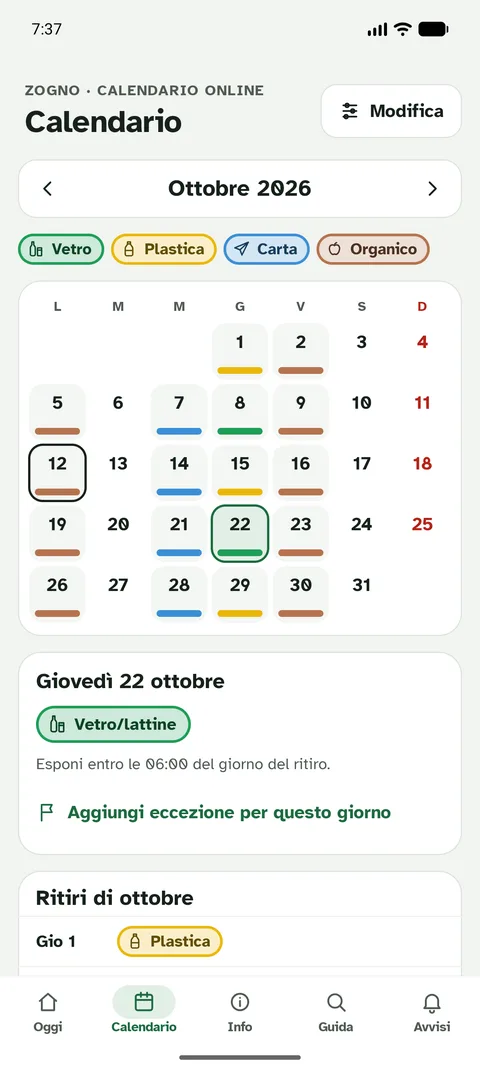
    Bidò app screenshot: Monthly calendar with the waste collected each day
    Monthly calendar with the waste collected each day
    Bidò app screenshot: Reminders: choose days, times and types of waste
    Reminders: choose days, times and types of waste
    Bidò app screenshot: Link the calendar to Alexa with a code
    Link the calendar to Alexa with a code
    Bidò app screenshot: Where do I throw it? Search for an item
    Where do I throw it? Search for an item
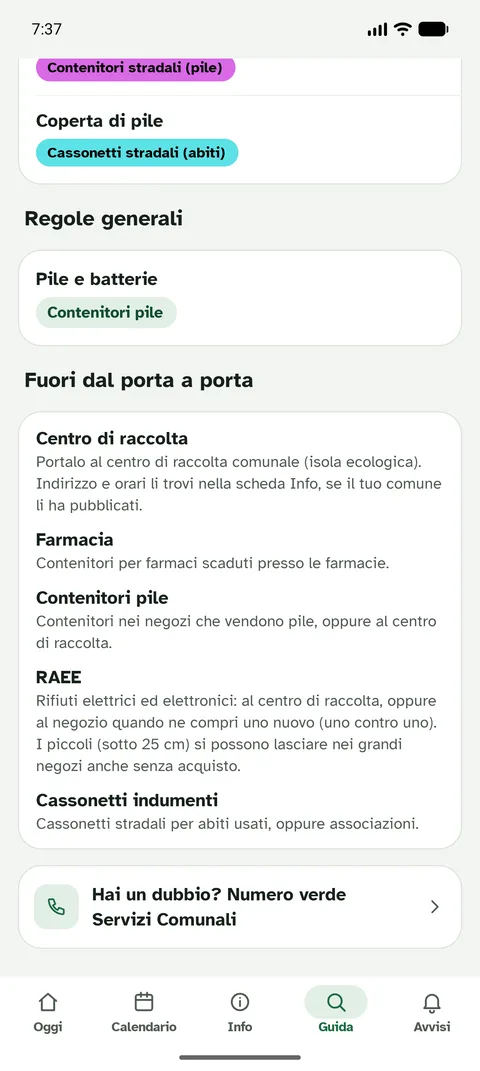
    Bidò app screenshot: Waste outside the door-to-door service: where to take it
    Waste outside the door-to-door service: where to take it
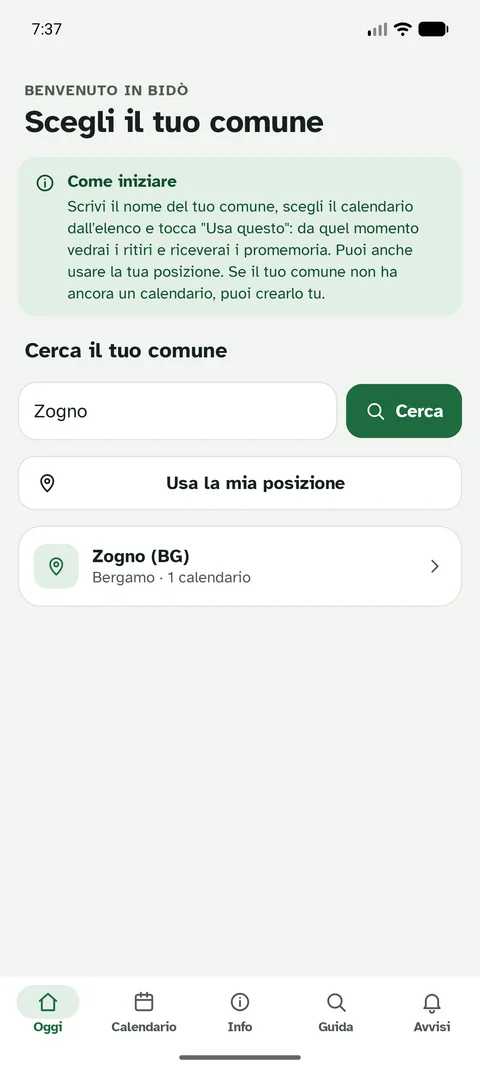
    Bidò app screenshot: Choose your municipality
    Choose your municipality
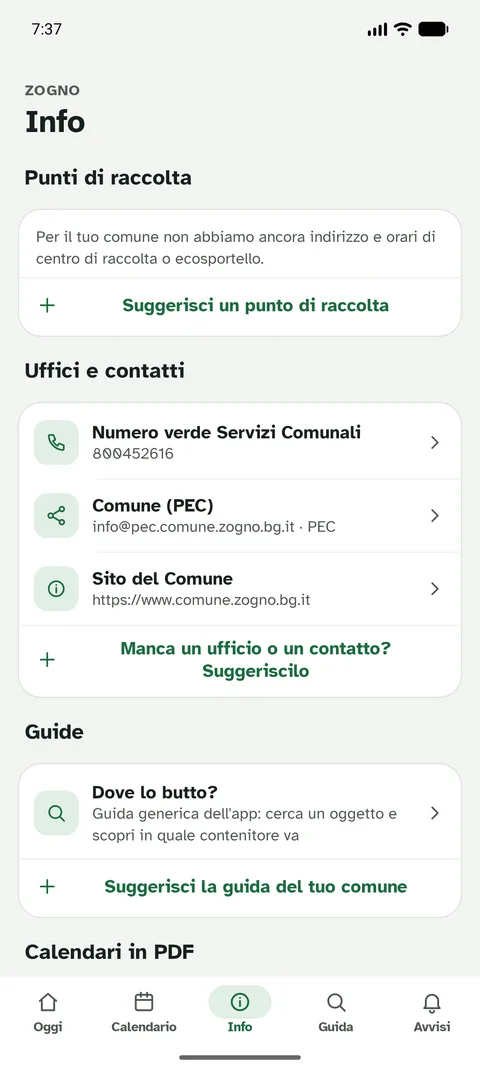
    Bidò app screenshot: Info: recycling centre, eco-desk and contacts
    Info: recycling centre, eco-desk and contacts
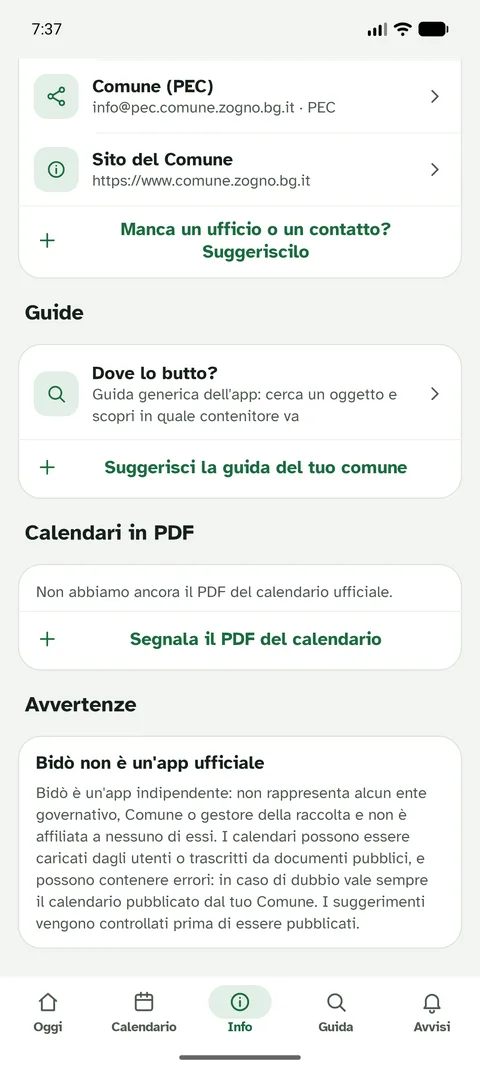
    Bidò app screenshot: Warnings and sources of the calendar
    Warnings and sources of the calendar
    QR code to download the Bidò app from Google Play

    Download the app on your phone

    Scan the QR code with your Android phone's camera: the Bidò page on Google Play opens.

    Open Google Play

    Your municipality, even if it isn't there yet

    Calendars are published by users and confirmed by other users: wrong ones are hidden automatically. If your municipality isn't there, you can create it from the app in a few minutes and help your neighbours.

    Privacy

    No account and no tracking. Calendar and reminders stay on your phone; for web reminders, if you turn them on, we only keep a technical delivery address, never your name or email. Read the privacy notice.